If you are seeing “Kamariya Patre Patre” reels everywhere on Instagram right now, you are not alone. This Bhojpuri song has become one of the biggest editing trends of the year, and the CapCut template behind it is the reason these videos look so good. I tried this template myself on a few clips, and I can tell you it is one of the easiest ways to turn simple phone videos into something that looks like a proper music video.
In this guide, I will explain what this template does, how it works, and how you can use it on your own phone in just a few minutes. No editing skills needed.
New Trending Template : Mujhe Tum Yad Aate Ho
What Is the Kamariya Patre Patre CapCut Template
This is a ready-made CapCut template built around the popular Bhojpuri song Kamariya Patre Patre. It comes with all the transitions, effects, and beat timing already set. All you have to do is add your own video clips, and CapCut fits them into the template automatically.
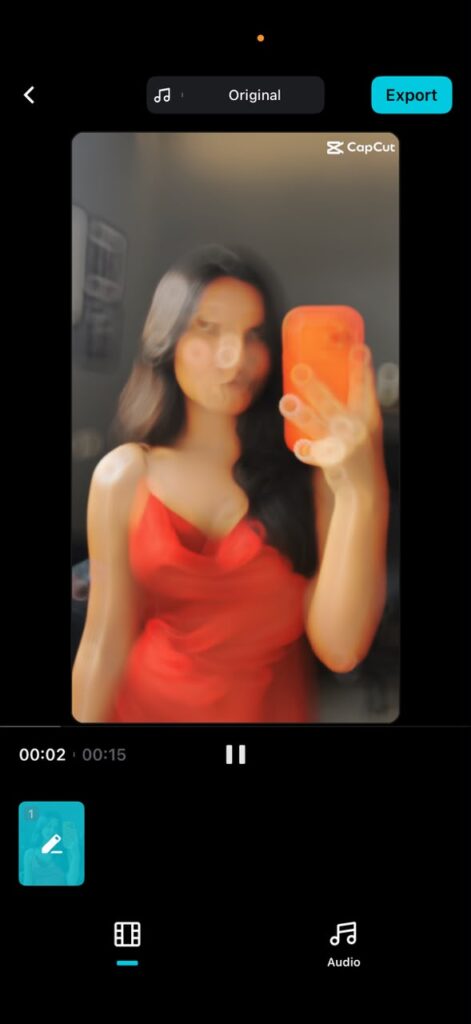
The style of this template is what makes it stand out. It opens with a soft blur, then a quick flash brings in your first clip. As the song builds up, the template uses cutout effects to smoothly bring in your next clips. Slow motion and cinematic color effects are added throughout, and every transition lines up with the beat of the song. The end result looks like a professionally cut video, even though you did almost nothing.
You do not have to stick to the Bhojpuri version either. Once you understand how the template works, you can try it with other trending songs that have a similar beat pattern.
Why This Template Is So Popular Right Now
A few reasons this template is trending on Instagram and YouTube Shorts:
It saves time. Normally, matching video cuts to music beats takes practice and patience. This template does that work for you.
It looks premium. The slow-motion and cinematic filter combination gives your video a polished look, similar to what professional editors create.
It works for everyone. You do not need any past editing experience. If you can tap a screen and pick videos from your gallery, you can use this template.
Things You Need Before You Start
Before using this template, keep these ready:
- The CapCut app installed on your phone (available on both Android and iOS)
- Three to five short video clips you want to use in the reel
- A stable internet connection to download the template
How to Use the Kamariya Patre Patre CapCut Template
Follow these simple steps:
Step 1: Open the template link Tap the template link on this page. It will open directly inside the CapCut app if you already have it installed. If CapCut is not installed, your phone will first take you to the app store to download it.
Step 2: Tap “Use Template” Once the template preview loads, you will see a button that says “Use Template.” Tap it to begin.
Step 3: Add your video clips CapCut will ask you to select clips from your phone’s gallery. Pick clips that are clear and well-lit. Videos where you are moving or turning towards the camera usually work best with this template’s transitions.
Step 4: Let CapCut do the editing After you add your clips, tap “Next.” CapCut will automatically apply the transitions, filters, slow motion, and beat sync. You do not need to adjust anything manually unless you want to.
Step 5: Review and adjust if needed Watch the preview once. If any clip feels out of place, you can swap it with another one from your gallery.
Step 6: Export and share Once you are happy with the video, export it in the highest quality your phone supports. Then share it directly to Instagram, YouTube Shorts, or WhatsApp Status.
Tips to Make Your Video Look Even Better
From my own experience using CapCut templates regularly, a few small things make a big difference:
Use clips with good lighting. Templates with cinematic filters look much better when the original clip is bright and clear.
Keep your best clip for the middle of the video. Templates usually build up in intensity, so save your strongest shot for when the beat drops.
Do not use shaky or blurry clips. Since the template already adds movement through transitions, shaky footage can make the final video look messy.
Conclusion
The Kamariya Patre Patre CapCut Template is a great pick if you want to create a trending, good-looking reel without spending hours learning video editing. The transitions are smooth, the beat sync feels natural, and the whole process takes only a few minutes from start to finish. Just pick your best clips, follow the steps above, and you will have a reel ready to post.
Frequently Asked Questions
Is this template free to use? Yes, this template is free. You only need the CapCut app installed on your phone.
Do I need editing experience to use it? No. The template does all the editing work automatically. You only need to select and add your video clips.
How many clips do I need for this template? Around three to five clips work best, but this can vary slightly depending on the length of the song used.
Can I use a different song with this template? Yes, once you understand how the transitions are timed, you can try replacing the song with another track that has a similar beat.
Which phones support this template? This template works on both Android and iOS phones, as long as you have the CapCut app installed.