Funny friends dance videos are becoming popular on social media because they combine hilarious dance moves, entertaining expressions, and creative AI effects. These videos can turn ordinary photos of friends into funny dance clips that are perfect for Instagram Reels, YouTube Shorts, and other social media platforms. With the help of AI video generation tools, you do not need professional editing skills or advanced animation knowledge to create these entertaining videos. In this Funny Friends Dance Video AI Tutorial, you will learn how to transform your photos into funny dancing videos using simple steps, suitable AI tools, and creative prompts. Whether you want to create a video for fun, entertain your friends, or follow the latest social media trends, this tutorial will help you get started.
What Is a Funny Friends Dance AI Video?
A funny friends dance AI video is a short animated clip created by using artificial intelligence to make people in photos appear to dance in an entertaining way. You can use individual photos, group pictures, or images of friends to create different dance styles, including energetic Bollywood moves, funny cartoon-like dances, synchronized group dancing, and exaggerated comedy movements. Depending on the AI tool you choose, you may be able to animate body movements, facial expressions, clothing, and background elements automatically. These videos are especially suitable for short-form content because they are entertaining, easy to share, and can capture viewers’ attention within a few seconds. You can also add trending music, sound effects, captions, and transitions to make the final video more engaging and give it your own creative style.
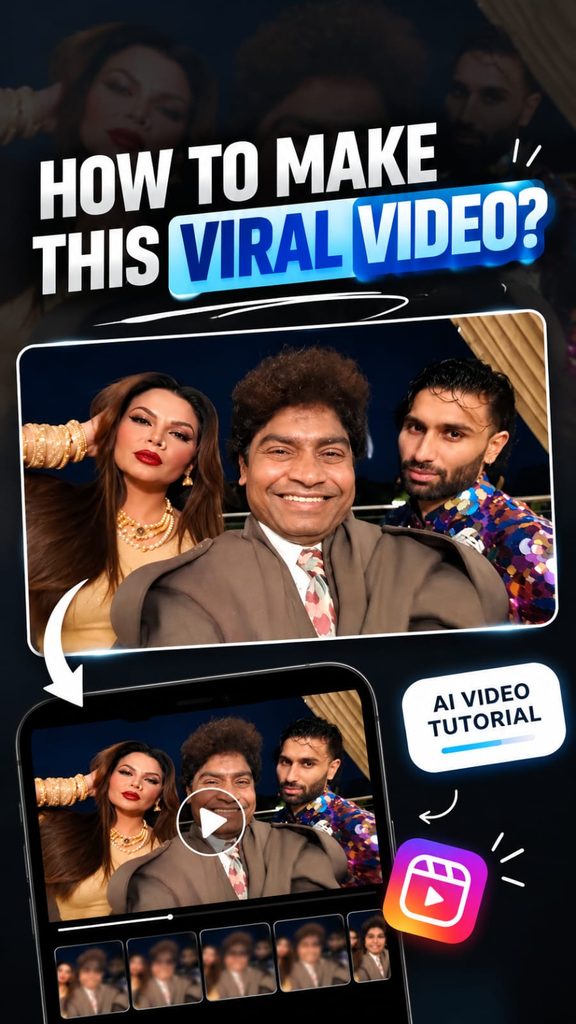
Video Prompt
Swap the characters in the original video with the reference persons from the provided images. Replace Character 1 with the person from Image 1, Character 2 with the person from Image 2, and Character 3 with the person from Image 3.

Each character's face, body, skin tone, facial features, hair, and overall physical appearance must be an exact 1:1 match to their respective reference images - do not alter, modify, or reinterpret any physical trait. The identity of each person must be preserved with complete accuracy as shown in the reference images.

Replace the outfits of each character entirely with the clothing shown in their respective reference images. Preserve every detail of the outfit including fabric texture, color, cut, styling, accessories, and garment fit exactly as seen in the reference images. The original video's costumes must be completely replaced.

Preserve all facial expressions, body movements, gestures, poses, camera angles, lighting, and background exactly as they appear in the original video. Only the faces, physical identity, and outfits of the characters should change. Everything else motion, timing, scene composition, and environment - must remain 100% identical to the source video.

Remove all text, watermarks, logos, subtitles, and overlays present in the original video. The final output must be completely clean with no text or graphics visible anywhere in the frame.Best AI Tools to Create Funny Friends Dance Videos
To create a funny friends dance video, you need an AI image-to-video or character animation tool that supports realistic body movements. Start by choosing a clear photo with visible faces and enough space around the people so the AI can generate better movement. Upload your image to a suitable AI video generator and look for features such as image animation, dance motion, character movement, or video generation from prompts. Some tools may offer ready-made dance templates, while others allow you to describe the dance you want using written instructions. The available features, free credits, export quality, and video duration may vary between platforms, so check the current options before starting. If your selected tool does not support multiple people dancing together, you can try animating the characters individually and combining the clips in a video editor such as CapCut. This approach gives you more control over timing, music, and the overall comedic effect.
Step-by-Step Process to Make a Funny Friends Dance Video
First, select a high-quality photo of your friends or a group image that you have permission to use. Next, open an AI video generator that supports image-to-video animation and upload the selected photo. Enter a detailed prompt describing the dance style, body movements, camera angle, facial expressions, and overall mood you want to create. For example, you can ask the AI to make everyone perform funny synchronized Bollywood dance moves with exaggerated shoulder movements and playful expressions. Generate the video and preview the result to check whether the movements look natural and the people remain recognizable. If the first result does not look right, adjust your prompt or try another motion style. Once you are happy with the animation, download the generated clip and import it into CapCut or another video editor. Add suitable background music, comedy sound effects, subtitles, and simple transitions. Finally, export the video in vertical 9:16 format for Instagram Reels and YouTube Shorts, making sure the important parts of the dance remain visible on mobile screens.
Ready-to-Copy Funny Friends Dance Video AI Prompt
If you want to create a funny friends dance video more easily, you can use the following ready-to-copy prompt in an AI video generator that supports image-to-video creation. Upload your friends’ photo first, then paste the prompt and generate your video. Prompt: “Animate the people in the uploaded photo into a hilarious, energetic group dance video. Preserve each person’s original facial identity, hairstyle, skin tone, clothing, and recognizable appearance as closely as possible. Make everyone perform funny, synchronized Bollywood-inspired dance moves with playful shoulder shakes, quick hand gestures, exaggerated but natural body movements, cheerful expressions, and perfectly timed dance steps. Keep all people visible in the frame and make their movements coordinated, smooth, and entertaining. Use realistic human anatomy, natural motion, consistent lighting, and a stable camera. Maintain the original photo’s overall appearance while adding believable movement. Create a fun, lively atmosphere suitable for a viral social media comedy video. Avoid distorted faces, extra limbs, unnatural body movements, flickering, sudden camera changes, and unwanted changes to the characters’ appearance. Vertical 9:16 composition, high-quality video, smooth animation, and a short-form social media aesthetic.” Results will depend on the tool, image quality, and animation model, so you may need to generate the clip more than once to achieve the desired effect.
Tips to Make Your Funny Dance Video More Entertaining
To make your AI dance video stand out, focus on choosing a funny concept rather than adding too many effects. Use a clear group photo with good lighting and faces that are easy to see. Keep the dance movements simple enough for the AI tool to reproduce consistently, especially when several people appear in the same frame. Try different styles, such as synchronized dancing, exaggerated comedy moves, unexpected dance challenges, or a funny dance battle between friends. You can also experiment with trending audio, quick cuts, zoom effects, and humorous captions in CapCut to improve the entertainment value. Keep the opening seconds interesting so viewers understand the joke quickly, and avoid making the video unnecessarily long. Before publishing, check that the animation does not distort faces or create distracting body movements. Use photos responsibly, obtain permission when appropriate, and avoid presenting AI-generated scenes as genuine recordings of real events. These small improvements can help make your video more polished, enjoyable, and suitable for social media sharing.